10 Matching Annotations
- Aug 2026
- Jul 2026
-
www.youtube.com www.youtube.com
-
Joe Van Cleave uses thin tin foil with a carbon to type onto paper as an experiment in the case that typewriter ribbon is no longer manufactured.
He find better imprints by placing additional backing sheets in front of his carbon paper, presumably because the pressure of the imprint is better.
-
- Mar 2026
-
www.facebook.com www.facebook.com
-
David Kearby (aka D****2 on SGW) purchased this Underwood https://shopgoodwill.com/item/258398206
via https://www.facebook.com/groups/705152958470148/posts/1229591519359620/
-
- Nov 2025
-
www.reddit.com www.reddit.com
-
https://www.reddit.com/r/typewriters/comments/1ov02h8/backing_material_2/
Experiments with different backing sheets in typewriters.
A Shore A 60 silicone backing sheet wasn't a great improvement. A 0.3mm TPU sheet with 75A to 80A may prove better results?
-
-
-
reply to u/SlumberCrow at https://reddit.com/r/typewriters/comments/1orwxqq/type_writer_leaving_small_divets_in_paper_when/
A new platen will certainly help, but it's also a question of having a proper ring and cylinder adjustment across the length of your platen and segment. Often letters that punch through tend to be the . , and o which are at the extreme end of the segment. Some machines have adjustment screws at either end of the carriage and the adjustment should be checked at not only the center of the platen but both ends. If you don't have an experienced mechanic who knows how to do all of this properly you can easily get issues which will most often show up at the far ends of the the segment/platen.
Beyond a proper adjustment, it's also the case that the surface area of the . and , are smaller than other characters and so they tend to get more force even when actuated by the weaker fingers on the right hand when touch typing. Some older manuals and training films will suggest putting less pressure on these keys when typing. This is likely even more important for those who hunt-and-peck and are likely using the full force of their index fingers.
Unless your ribbon is obviously dry or marginal, replacing your ribbon isn't likely to help much. Slugs are made out of hardened steel and you'd have to do something incredibly drastic to damage the slugs, so don't sweat that too much. Backing sheet will help as a stop-gap particularly on machines with older/hardened platens, but there's only so much help that will do without a good platen and a properly adjusted machine.
-
- Apr 2025
-
www.youtube.com www.youtube.com
-
Typewriter expert shares 8 helpful advice to take care of your typewriter. by [[Mr. & Mrs. Vintage Typewriters]]
Tipp-Ex correction paper
Don't bathe your typewriter
Leave oil to the professionals. "Never oil it." (Wow!) - I get why he says this, but...
-
- Jan 2025
-
www.youtube.com www.youtube.com
-
Making Custom Typewriter Line Spacings by [[Joe Van Cleave]]
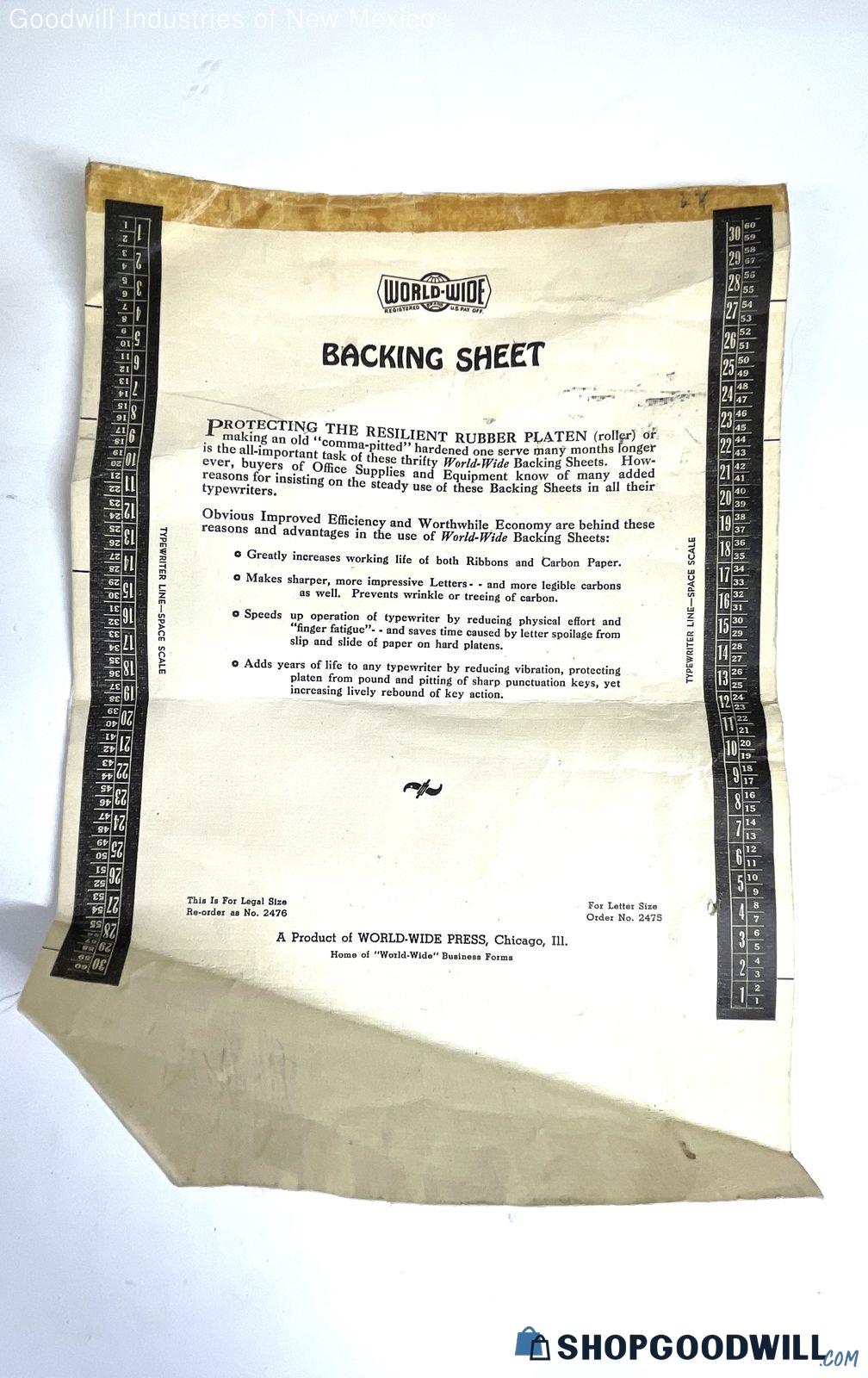
I suspected JVC would have a custom cut platen gear, but he's using a premarked backing sheet to adjust each line to do one and a half line spacing.
Joe mentions that the manual adjustments on each line is a net positive in that it gives him some time to pause and collect his thoughts before continuing writing on each line.
-
- Aug 2024
-
www.youtube.com www.youtube.com
-
Typewriter Video Series - Episode 147: Font Sizes and the Writing Process by [[Joe Van Cleave]]
typewriters for note making
double or 1 1/2 spacing with smaller typefaces may be more efficient for drafting documents, especially first drafts
editing on actual paper can be more useful for some
Drafting on a full sheet folded in half provides a book-like reading experience for reading/editing and provides an automatic backing sheet
typewritten (or printed) sheets may be easier to see and revise than digital formats which may hide text the way ancient scrolls did for those who read them.
Jack Kerouac used rolls of paper to provide continuous writing experience. Doesn't waste the margins of paper at the top/bottom. This may be very useful for first drafts.
JVC likes to thread rolls of paper into typewriters opposite to the original curl so as to flatten the paper out in the end.
-
- Jul 2024
-
www.reddit.com www.reddit.com
-
It can be useful to take some mineral spirits, naphtha, or paint thinner and a tooth brush (or, even better, a brass bristle brush) to your typeface every now and then to clean the ink, dirt, paper, bits of ribbon, dust, etc. out of it. Doing it after changing ribbon is always a good idea. If you're really hard pressed, nail polish remover (acetone) or rubbing alcohol and a cotton ball along with a small pin tip for the loops of letters like 'a', 'o', 'p', 'g', etc. can be used.
How well (or not) your typewriter works from a print perspective can also change with the type of paper you're using, what your ribbon is made out of (usually nylon, silk, or cotton), how much ink it's got in it and how old/worn it may be. A good backing sheet behind your typing paper can also be helpful.
reply to u/kirrachristine at https://www.reddit.com/r/typewriters/comments/1dtuksy/one_letter_weirdly_thicksmudged/ RE: one letter weirdly thick/smudged
-
- May 2024
-
www.youtube.com www.youtube.com
-
Typewriter Backing Sheets by [[Joe Van Cleave]]
Backing sheets for typewriters on Meade standard typing paper.
- Construction paper - Joe's favorite
- 4 mil thick polyethylene film
- Thin typing paper
- 20lb resume paper
- 1/64" synthetic rubber sheet
- 168gsm Evolon (polyester and nylon) paper
Tags
Annotators
URL
-